
Backing up your blog is very important. You should aim to do this at least once a week. If some thing happens to your blog you can easily restore it if you have a backup.
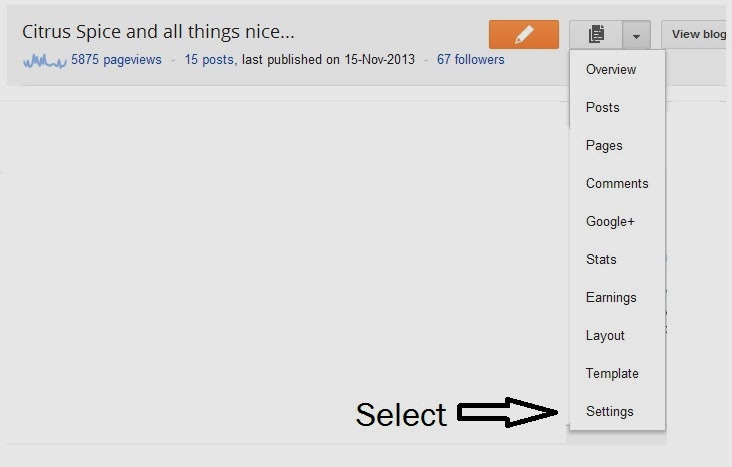
1. Log into your blogger dashboard.Click on the image with the black file. A drop down menu will appear.

2. From the menu Select SETTINGS.
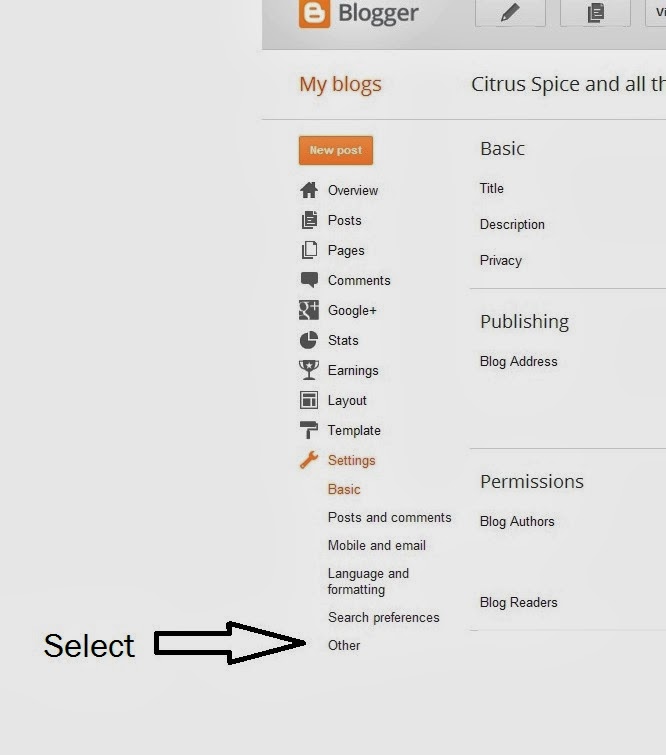
3. In setting select OTHER
4. Move to the top of the page where you will see 3 options: IMPORT BLOG, EXPORT BLOG, DELETE BLOG.
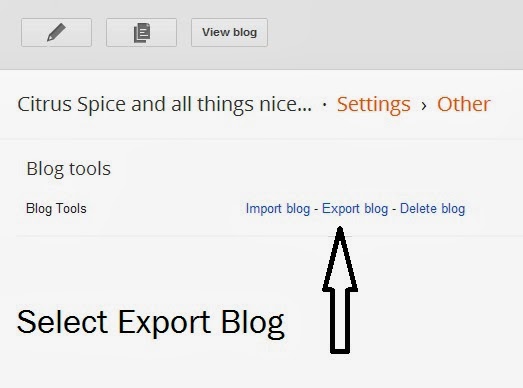
5. Select EXPORT BLOG, when you do this a dialogue box will appear that will give you option to down load blog. Click on it.
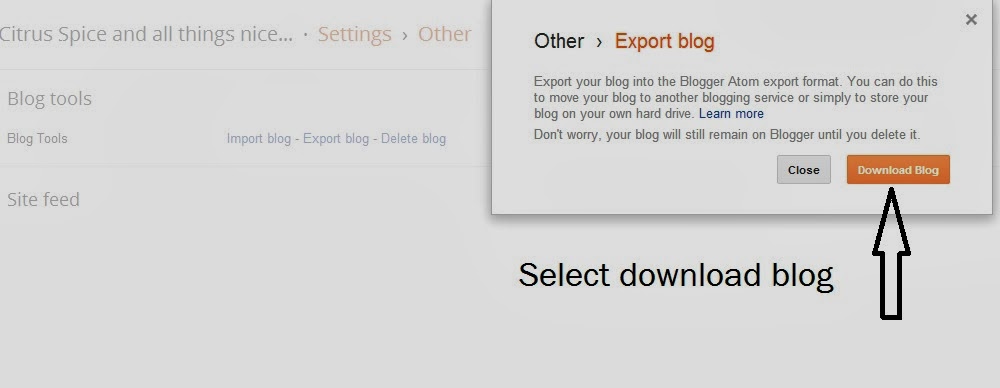
6. Down load this file it will be in xml format . SAVE this file in a folder created for your blog back up on your computer.
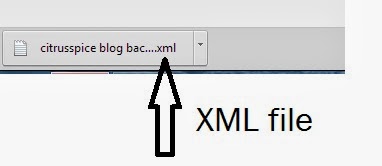
7. Make sure you give the file a recognisable name so that if you need to restore your blog in any instance you can find it easily.Also make sure that you keep this back up folder in two places so that you always have a copy if your computer crashes.
Make sure you back up your blog at least once a week.
You may like:
How to add contact me form in blogger.


Jo Bryan
Thank you very useful and easy to follow
citrusspiceuk@gmail.com
Glad you found it useful.
Kim Carberry
I keep wanting to do it but never knew how!! You have just helped me!!
Thank you x
citrusspiceuk@gmail.com
When I set up this vlog I thought to share any techie stuff I discovered with fellow bloggers .So glad you found it useful.
Perspectivemedley
Really useful one for all starters!… makes it easy to find all info in one place..
citrusspiceuk@gmail.com
Thanks Devi
hurny2009
This is really good, I didn't realise how simple it was. Thanks for this because backing up gives you piece of mind that all your content is secure.
On UK Bloggers you forgot to comment on my link so it's below 🙂 x
Beauty Hot Squad – Kate's Product of the Week – Star Light, Star Bright
citrusspiceuk@gmail.com
Thanks Kate I have dropped by and commented.
Stephanie Jane
fab guide, i've been blogging on and off since 2008 and have never once backed up. maybe 2014 will be my year x
citrusspiceuk@gmail.com
Its very important to backup in case you have a computer crash at least you can restore if you have backup.
citrusspiceuk@gmail.com
I cant stress how important it is to have a blog back up.
Unknown
What a great idea. I never even considered backing it up. I'll be doing this straight away! Thanks xx
nikiniknak.blogspot.co.uk
Baba
I'm on wordpress and backing up using the vault press plugin, it is important to do it for the peace of mind!
anna (intheplayroom)
Unknown
great idea i never think to back the blogs up x
Priya Suresh
Wonderful post, a page to be bookmarked.. Thanks Nayna, will be very helpful for us.
Triveni
Great info Nayna. Have to figure out if I have an option on WordPress.
Shobha
Very useful info.. I have started doing this since a few months when Mina posted the link..
Copyright©2022 Nayna Kanabar/Citrusspice and Travels Powered by WordPress | Theme by TheBootstrapThemes
Cookie Consent